How to Choose the Right ERP Software for Your Business: A Complete Guide
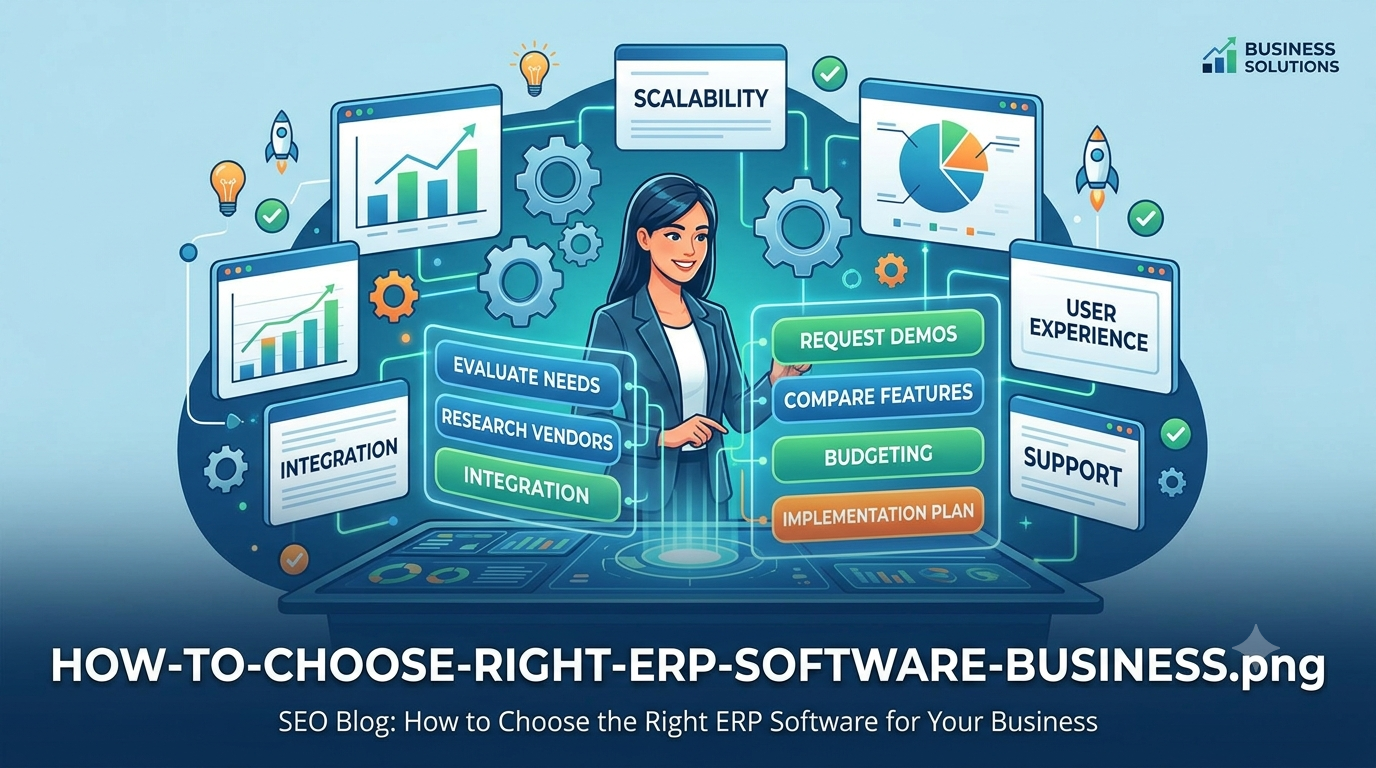
Choosing the right ERP software is an important decision for any growing business. As a company grows, managing sales, inventory, purchasing, production, finance, employees and customer information through separate spreadsheets or disconnected applications can become difficult.
An ERP (Enterprise Resource Planning) system brings important business processes together in one centralized platform. The right ERP software can help businesses reduce manual work, improve data accuracy, increase visibility and make better operational decisions.
However, every business has different processes and requirements. An ERP system that works well for one company may not be the right fit for another. Before choosing an ERP solution, businesses should carefully evaluate their current processes, future requirements, integration needs, scalability and total cost.
What Is ERP Software?
ERP software is a business management system designed to connect and manage different operational processes through a centralized platform.
Depending on the business, an ERP system may include modules for:
- Inventory management
- Sales and order management
- Purchase management
- Warehouse management
- Production management
- Finance and accounting
- Customer management
- Employee and HR management
- Reporting and analytics
- Business workflow automation
Instead of maintaining important information across multiple disconnected systems, an ERP can provide a centralized source of business data.
Why Businesses Need the Right ERP System
Implementing ERP software is not simply about purchasing another software application. The ERP system becomes part of the way a business operates.
A suitable ERP solution can help businesses:
- Reduce repetitive manual data entry
- Improve visibility across departments
- Reduce duplicate and inconsistent information
- Track inventory and business transactions more effectively
- Automate repetitive workflows
- Generate reports from centralized data
- Improve coordination between departments
- Support business growth and changing requirements
The key is to select an ERP system based on actual business requirements rather than choosing software simply because it has a large number of features.
1. Understand Your Business Requirements First
Before comparing ERP software, document how your business currently operates.
Identify the major processes that need to be managed and determine where your existing system creates problems.
For example, a business may need to manage:
- Purchase orders
- Supplier information
- Raw material inventory
- Finished goods
- Warehouse stock
- Sales orders
- Invoices
- Production processes
- Customer information
- Management reports
Creating a clear list of requirements makes it easier to compare ERP systems and identify missing functionality.
2. Choose the ERP Modules Your Business Actually Needs
Not every business needs every ERP module.
A manufacturing company may require production planning, raw material inventory and quality management, while a service company may focus more on customer management, projects, billing and employee management.
Common ERP modules include:
Inventory Management
Inventory software can help businesses track stock quantities, warehouse locations, stock movements and inventory transactions.
Purchase Management
Purchase management can help businesses manage suppliers, purchase orders, purchasing workflows and incoming materials.
Sales Management
Sales functionality can help businesses manage customers, orders, invoices and sales-related workflows.
Production Management
Manufacturing businesses may require production planning, material requirements, production orders, work-in-progress tracking and related processes.
Reporting and Analytics
Management reports can provide visibility into sales, purchases, inventory, production and other important business activities.
3. Check Whether the ERP Can Be Customized
One of the most important questions to ask is whether the ERP system can adapt to your business processes.
Every business has its own workflows, approval processes, reports and operational requirements. A system that cannot accommodate important business processes may require employees to create manual workarounds.
Before selecting an ERP solution, ask:
- Can custom fields be added?
- Can workflows be customized?
- Can business-specific reports be created?
- Can user roles and permissions be configured?
- Can modules be modified when business requirements change?
- Can custom integrations be developed?
For businesses with highly specialized processes, custom ERP development may be worth considering instead of forcing existing workflows into a rigid system.
4. Consider Integration Requirements
Modern businesses rarely operate with only one software system.
Your ERP may need to communicate with:
- Accounting software
- E-commerce platforms
- Payment gateways
- Marketplaces
- CRM systems
- Shipping and logistics platforms
- Barcode and QR systems
- Third-party APIs
- Business intelligence tools
Before selecting an ERP, understand which integrations are available and whether APIs are supported.
A flexible integration architecture can make it easier to connect the ERP with other business applications as your company grows.
5. Evaluate Scalability
Your ERP should not only support your business today. It should also be able to support future growth.
Consider how the system will handle:
- More users
- More products
- More customers
- Additional warehouses
- New branches
- Higher transaction volumes
- Additional business processes
A scalable ERP system can reduce the need for another major software replacement as the business expands.
6. Check Security and User Permissions
ERP systems contain important business information, so security should be considered before implementation.
Look for features such as:
- Role-based access control
- User permissions
- Secure authentication
- Activity logs
- Data backup
- Secure API access
- Controlled access to sensitive business information
Users should only have access to the information and functions required for their responsibilities.
7. Compare the Total Cost of the ERP
ERP cost is more than the initial software price.
Businesses should consider the total cost of ownership, including:
- Software licensing or subscription
- Implementation
- Data migration
- Customization
- Third-party integrations
- Training
- Hosting and infrastructure
- Maintenance and support
A solution with a lower initial price may become expensive if significant customization or integration work is required later.
8. Evaluate the User Experience
ERP software is used by employees every day, so usability is an important consideration.
A good ERP interface should make common tasks straightforward and minimize unnecessary steps.
During an ERP evaluation, ask employees who will actually use the system to test important workflows such as creating an order, receiving stock, creating a purchase order or generating a report.
Real-world user feedback can reveal usability problems that may not be obvious during a software demonstration.
9. Check Reporting and Business Visibility
ERP software should help management understand what is happening across the business.
Useful reports may include:
- Sales reports
- Purchase reports
- Inventory reports
- Stock movement reports
- Customer reports
- Supplier reports
- Production reports
- Financial reports
Businesses should also consider whether the ERP allows custom reports and dashboards based on their specific requirements.
10. Consider Implementation and Support
Choosing ERP software is only the beginning. Successful implementation also requires planning, data migration, configuration, testing and employee training.
Before selecting an ERP provider, understand:
- How implementation is handled
- How existing data will be migrated
- What training is provided
- How technical support works
- How software updates are handled
- How customization requests are managed
Reliable implementation and ongoing support can make a significant difference to the long-term success of an ERP project.
Cloud ERP vs Custom ERP
Businesses may also need to decide whether a standard cloud ERP or a customized ERP solution is more appropriate.
A standard cloud ERP can be useful when a business's processes closely match the available functionality and the company wants to start using a system quickly.
A custom ERP can be useful when a business has specialized workflows, unique operational requirements or complex integrations that standard software cannot handle effectively.
The right choice depends on the company's processes, budget, technical requirements, scalability needs and long-term objectives.
Common Mistakes When Choosing ERP Software
Businesses can face problems when selecting ERP software without properly evaluating their requirements.
Common mistakes include:
- Choosing software only because it is inexpensive
- Focusing on features instead of business requirements
- Ignoring integration requirements
- Not involving actual users in the evaluation
- Underestimating data migration requirements
- Ignoring future scalability
- Not planning employee training
- Failing to calculate the total implementation cost
ERP Software Selection Checklist
Before making a final decision, use this checklist:
- Does the ERP support our core business processes?
- Can it be customized where necessary?
- Can it integrate with our existing software?
- Can it support future business growth?
- Does it provide appropriate user permissions?
- Does it provide the reports we need?
- Is the user interface practical for employees?
- What is the total cost of implementation and ownership?
- What support is available after implementation?
- Can we migrate our existing business data?
Conclusion
Choosing the right ERP software requires more than comparing feature lists. Businesses should start by understanding their own processes, identify operational challenges and then evaluate ERP solutions against those requirements.
The right ERP system can help bring business information together, automate repetitive processes, improve operational visibility and provide a foundation for future growth.
For businesses with unique workflows or specialized requirements, a customized ERP solution can provide greater flexibility and allow the software to be designed around the way the business actually operates.
Need a Custom ERP Solution for Your Business?
Every business has different processes and software requirements. Anne InfoTech develops custom ERP, inventory management, business automation and web application solutions designed around specific business workflows.
If you are planning a new ERP system or want to improve an existing business application, contact Anne InfoTech to discuss your requirements.